Resources for diabetes specialists
I am a busy diabetes educator. In my office, I have a file with multiple handouts and teaching resources from insulin administration to connecting your glucometer to an app. I have handouts on just about every nutrition topic.
- Carbohydrate teaching? Check
- How much carbohydrate is in different foods? Check
- How protein and fats affect blood glucose? Check
- How to explain the difference between total carbohydrate and sugar? Check
In the virtual world, it becomes challenging to use my favorite teaching tools, so I had to get creative. Let’s face it, the future will most likely be a hybrid model where virtual consultations will co-exist with in person consultations.
In my practice, I repurposed resources that work well on and offline and can also be used in individual and group sessions. What about you? What teaching tools and resources do you use?

This is why I created a diabetes education toolkit: a series of patient education handouts and activities to teach patients about diabetes and nutrition.The toolkit will help you to:
- Start with a simple nutrition topic and build on that topic to move to more complex ones.
- Connect with the visual learner in a simplified-visually rich style.
- Check for understanding using the teach-back method. Each handout has a teach-back activity.
- Engage the learner using interactive real-life examples.
Teaching Diabetes: Tips for Busy Diabetes Specialists
Whether you are creating your own resources or using existing tools, here are 3 tips to help you identify great patient education materials:
Tip #1. Include visuals
Think about what is the best visual to convey key messages. Think like your patient. If you are talking about carbs, talk about the foods that have carbs. Do you want to teach how carbs impact blood glucose? Show a picture with peaks and valleys.
Tip #2 Include client engagement
Let’s say we are talking about the national parks in the United States. I start the lesson by giving you a quiz.
- Which is the oldest national park?
- Which is the largest?
- Denali
- Yellowstone
- Everglades
- Yosemite
- Wrangell-St Elias
When you come across a quiz and answer the question, you are interacting with the information. Why is this important? Because it increases retention. These activities are more effective than lecturing. Keep reading for more ideas and the correct answers.
Tip #3 Practice
Yes. Every time we learn something new, we need to practice in order to master the newly acquired information. Think about the last skill you learned. Let’s say it was dancing. You were shown the steps, left, right, left, right, turn. After you received the instructions the only way to master the steps was to practice. Yes, you may mess up, but eventually it becomes easier. When you are teaching a new concept, find ways to engage so they can practice. Need ideas? Keep reading.
How to start your diabetes consultation
My experience has taught me that most nutrition related questions are:
- What foods can I eat?
- How much can I eat?
Glucose management and nutrition go hand in hand. Whether you are a registered dietitian nutritionist or a nurse teaching diabetes, you will most likely agree with me that the most common question is,
- “How do I stop my blood sugar from spiking?”
How do you answer these questions and which topic do you tackle first? To optimize the visit, I start with what the patient wants to know, followed by what the patient needs to know right now. Diabetes teaching is effective when you include visuals, teach-back, and hands-on activities.
Patient Diabetes Education Knowledge Assessment Tool for Diabetes Educators

I created the Patient Diabetes Education Knowledge Assessment Tool to assess what the patient knows about diabetes and nutrition and where knowledge gaps exist. This tool takes less than 2 minutes to administer. I also created diabetes patient education handouts that can be used virtually using the share screen function or can be downloaded and printed.
Carbohydrate Knowledge Activity Tool

My absolute favorite true and tried tool is the carbohydrate knowledge activity tool. This tool can be uploaded and shared with your patient using the screen share option. This tool will assess your patient’s basic carbohydrate knowledge: which foods have and don’t contain carbohydrates.
This is how you can create your own. Create a table with as many six rows and four columns. Insert 6 pictures of different foods down the first column. I recommend whole milk, skim milk, olive oil, nuts, sweet potato, etc. Ask the patient, “Which foods have carbohydrate, the nutrient that causes the biggest rise in blood sugar? Give them 3 choices:
- Yes, I think this food has carbs
- No, I don’t think this food has carbs
- I am unsure
I added “I am unsure” because it removes the embarrassment of not getting the right answer. Use the tool to determine if the patient was able to answer the answers correctly. In less than 2 minutes, you will identify your patient’s knowledge gap. For example, if the patient chose whole milk as a source of carbohydrate and omitted skim milk, then you can address the difference between carbohydrate and fat.
Teaching Diabetes using Engaging Activities
Engaging patients with the information increases retention. That’s the goal. Remember the quiz about the National Parks? You want the information to stick.
How do you engage your patient in the learning process? Include activities that reinforce the information you are presenting. Here are some examples:

- What’s the wrong answer?
- You are teaching about blood glucose monitoring. You want to make sure your patients remember what to do when they are experiencing hypoglycemia. Provide 3 correct answers and 1 wrong answer.
- What’s the correct answer?
- You are teaching about the amount of carbs in foods. Show them and ask them to select the correct answer.
- Watch it first
- There are bountiful videos on every diabetes education topic. Taking Care of Your Diabetes TCOYD has a vast collection of videos about diabetes. Everything you need to know about continuous blood glucose (CGM) is a funny, empowering video that removes the mystery behind CGMs. Watching this video first allows me to engage the patient in a conversation about monitoring, blood glucose, and nutrition. The goal is to allow patients to think beyond food intake and how they can use these numbers to their advantage. Switching to real-life scenarios allows the patient to put information into action.
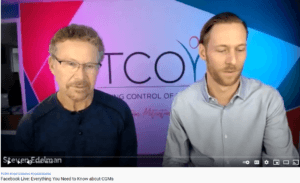
TCOYD: Everything You Need to Know about CGMs
- There are bountiful videos on every diabetes education topic. Taking Care of Your Diabetes TCOYD has a vast collection of videos about diabetes. Everything you need to know about continuous blood glucose (CGM) is a funny, empowering video that removes the mystery behind CGMs. Watching this video first allows me to engage the patient in a conversation about monitoring, blood glucose, and nutrition. The goal is to allow patients to think beyond food intake and how they can use these numbers to their advantage. Switching to real-life scenarios allows the patient to put information into action.

- Tweak it
- This is a simple activity. I present two or three meals with different carbohydrate content. I give the patient a carbohydrate budget. I ask the patient to tweak the meal to bring it close to the carbohydrate budget. For example, a meal contains cereal, milk, banana, bread and egg. The total carbohydrate is 70 grams. The carbohydrate budget is 40 grams. How can the menu be changed? This activity teaches the patient what to do in real-life situations to manage the blood glucose excursions.
Diabetes Educator and Diabetes Specialists: Patient Education Resources at your Fingertips
Busy? Silly me. Of course you are. That’s why I created a diabetes education toolkit that is ready to download and use right now. There is no need to repurpose your teaching education handouts. I have done this for me and for you. This toolkit will help you:
- Reduce your consultation time
- Engage the client in the learning process using “real like examples.”
- Document patient learning and upload the assessment form to your electronic health record or practice management platform.
- Share the information with your patient. Print, download, and share these teaching tools.
This is what you will find in the toolkit:

- 13 topics presented in a simplified-visually rich style
- Effects on macronutrients on blood glucose (visual)
- How does insulin work (visual)
- Tell a Story about Portions (visual)
- How many carbs are in the foods we eat?
- Calculating carbs when you your dish doesn’t fit neatly into the plate method. (Hello lasagna and beef stew)
- 8 interactive activities
- Carbohydrate Knowledge Activity Food (activity)
- Where are the carbs? (activity)
- How to calculate weird serving sizes? (Perfect for persons with restricted numeracy skills and those who say they are not good at math)
- Carbohydrate Knowledge Assessment Tool
How can you access this tool, click HERE
ANSWERS
Yellowstone became the first national park in 1872.
Wrangell-St Elias, located in Alaska, is the largest national park with 8,323,146.48 acres
Do you want to connect with me? Email me


